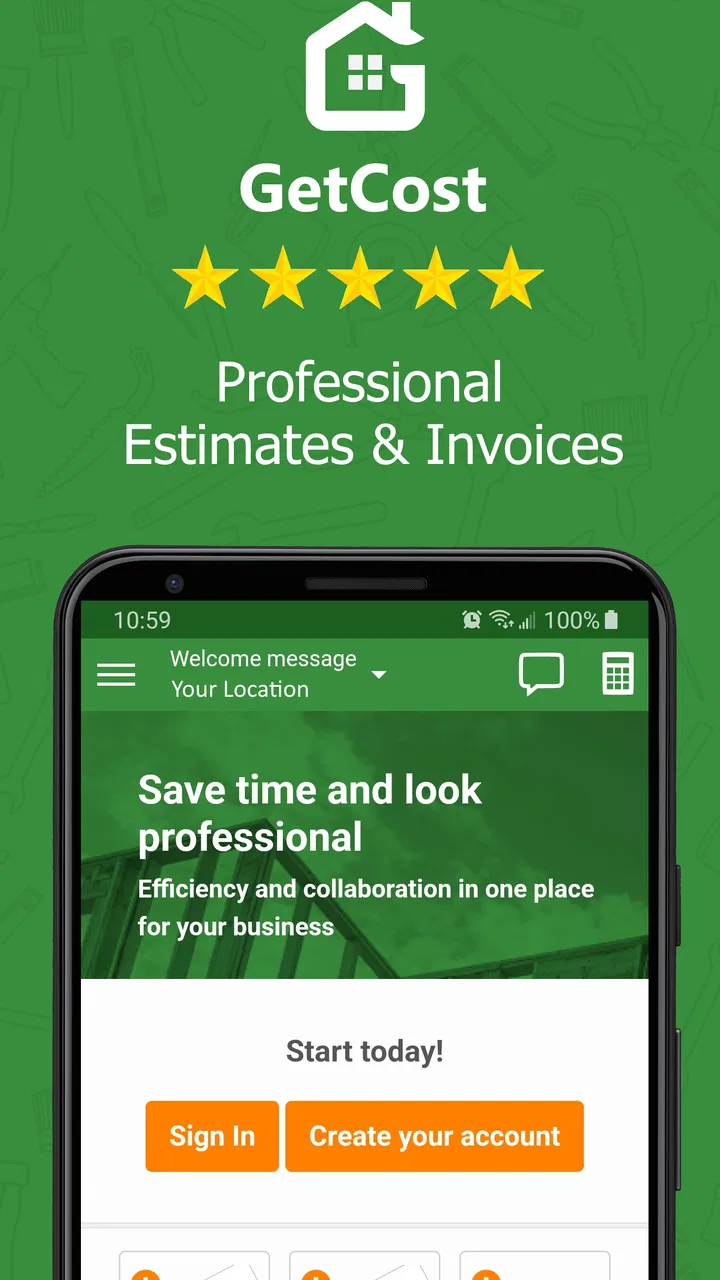
Contractor Estimate & Invoice
- 4.6
- Rating
- 100.00K
- Installs
- Free
- Price

 Analysis by App-foxy
I found Contractor Estimate & Invoice most useful as a practical job-management tool for independent contractors who need to move from a rough estimate to a paid invoice without building a complicated office system. It is a free business app from GetCost, and its focus is refreshingly direct: organizing estimates, invoices, payments, timesheets, and schedules for a working team.
My overall view is that it works best when the main problem is scattered paperwork rather than advanced accounting. If you are currently writing estimates in a notebook, tracking hours in messages, and trying to remember unpaid work from memory, this app gives those tasks a shared home. It is not the kind of tool I would choose to replace a full accounting platform, but for a small contracting operation, it can make the daily workflow much easier to control.
What the app does well in real contractor workflows
The strongest part of the experience is the way its main areas fit together. An estimate is not an isolated document; it is usually the first step in a chain that includes scheduling, labor tracking, invoicing, and payment follow-up. Contractor Estimate & Invoice brings those activities into one business-oriented workspace instead of forcing you to jump between a spreadsheet, a calendar, a time-tracking app, and a separate invoice generator.
You May Also Like

 Blood Strike: 2.5 Anniversary
Blood Strike’s Loadouts Turn Every Drop Into a Tactical Gamble
A close look at Blood Strike’s custom loadouts: how fast access to signature weapons reshapes its battle royale rhythm, rewards preparation, and narrows the gap between fights.

 Pandora - Music & Podcasts
Pandora’s Music Is Easy to Start, but Harder to Recover
Pandora’s strength is its low-effort path from a seed to a station. Its weak spot is how much confidence it asks you to place in connection, setup, and quiet recovery.

 8 Ball Pool
8 Ball Pool Is Built on Rivalries, Rematches, and Routine
A close look at the rivalries, rematches, shared routines, and unanswered safety questions that turn a quick pool match into a persistent mobile community.

 Samsung Music
Samsung Music’s Quiet Strength Is Playing What You Already Own
Its reach comes less from spectacle than from dependable access to a personal library. That simplicity is both the app’s strongest retention engine and its ceiling.

 AccuWeather: Weather Radar
AccuWeather Review: A Quick, Clear Forecast for Everyday Decisions
For everyday plans, the best forecast is the one you can understand quickly. AccuWeather makes rain timing, radar, and local conditions easy to act on, with a few trade-offs.

 Hill Climb Racing
Why Hill Climb Racing Still Turns Crashes Into One More Run
A tiny car, a bumpy hill and one more upgrade: Hill Climb Racing keeps resurfacing because its simple chaos makes every near-miss feel personal.
More From Our News Desk



I especially like the idea of treating the estimate as the starting point for a job. Before accepting work, I can think through the expected labor and materials, present a clear amount to the customer, and then use the same job information as the work progresses. That reduces one of the most common small-business mistakes: preparing an estimate one way, recording the actual work somewhere else, and later trying to reconstruct what happened.
The app’s feature set is broad enough to cover the basic rhythm of a small crew. Estimates help define the proposed work. Invoices turn completed work into something billable. Payment tracking gives the owner a place to monitor what has been collected. Timesheets help connect labor to a job, while scheduling gives the team a clearer view of upcoming commitments. None of those functions is unusual on its own, but having them together is the important advantage.
A realistic example would be a two-person repair business handling several small jobs in the same week. On Monday, I could prepare an estimate for a kitchen repair, schedule the visit, and assign the work to the appropriate team member. During the job, the worker records time rather than relying on a late Friday recollection. Once the work is finished, the invoice can reflect the job more accurately. The owner can then review payment status while planning the next appointments. That sequence is much more useful than simply having a collection of disconnected templates.
There is also a valuable discipline hidden in this workflow: separating planned work from completed work. Estimates represent what I expect; timesheets show what actually happened; invoices represent what I am asking the customer to pay. Keeping those stages distinct makes it easier to notice when a job is taking longer than expected or when the original scope has changed. For a contractor who wants better control over margins, that comparison can be more useful than a polished-looking invoice alone.
Why the combined workflow matters
Many small contractors do not need dozens of specialized screens. They need fewer places to lose information. A customer’s request may arrive while I am on-site, the appointment may change later, and the final bill may depend on hours worked rather than a fixed amount. A focused app that keeps estimates, scheduling, timesheets, and payment information close together can reduce that mental load.
My practical tip is to use the estimate as a planning checkpoint rather than treating it as a document created only for the customer. Before sending it, I would review whether the expected labor, materials, and timing make sense together. After the job, I would compare the recorded hours with the original expectation before issuing the invoice. That habit turns the app into a simple feedback loop for improving future estimates.
Another useful approach is to make timesheet entries part of the normal end-of-job routine. Waiting until the end of the week creates room for forgotten travel, partial visits, or extra work requested by the customer. Recording time close to when it happens gives the invoice a stronger connection to the work performed. This is particularly important for service calls and repairs, where the final amount may depend on changing circumstances.
Scheduling is more valuable when it is used alongside the financial side of the job. A calendar by itself tells me where the team should be. A schedule connected to estimates and invoices helps me think about whether the upcoming workload is actually billable and whether too many jobs have been promised for the same period. I would not rely on scheduling alone to solve every staffing problem, but it can make overbooking easier to spot.
Where it feels more practical than the usual alternatives
The usual alternative for a very small contractor is a mixture of spreadsheets, paper forms, phone notes, and a general calendar. That approach costs little, but it depends heavily on personal discipline. It also becomes fragile when another worker needs access to the same information. Contractor Estimate & Invoice has a clearer advantage when several people need to contribute to the same job process.
Compared with a general invoicing app, its broader contractor focus is the main distinction. A basic invoice generator may produce a professional bill, but it often does not address the earlier steps: estimating the job, organizing the team, recording time, and fitting the work into a schedule. If those steps are where your business loses time, an invoice-only tool will not solve the real problem.
On the other hand, a full accounting or field-service platform may be better for a larger company with complex reporting, extensive customer records, payroll needs, inventory controls, or deep tax workflows. The more specialized your operation becomes, the more important those advanced systems may be. I see this app as a bridge between informal paperwork and a much heavier business suite, not as an all-purpose replacement for every financial system.
The main weakness: simplicity has a ceiling
The same focused design that makes the app approachable can become limiting for businesses with demanding administrative requirements. A contractor who wants highly detailed financial analysis, sophisticated inventory management, or extensive customization may eventually find the workflow too narrow. The app covers the core job cycle, but a core job cycle is not the same thing as a complete back office.
I would also be careful about assuming that putting all these functions in one app automatically creates perfect organization. The quality of the records still depends on consistent entry. If workers forget to update timesheets, if schedules are changed without being kept current, or if payments are not marked promptly, the combined system can still become misleading. The app reduces fragmentation; it does not remove the need for a clear office routine.
There is another practical trade-off around cost. The app is free to install, but it includes in-app purchases ranging from around ten dollars to around six hundred dollars per item. That range means I would review the available purchase options carefully before building the entire company workflow around it. A free starting point is attractive, but the long-term value depends on which capabilities a particular contractor needs and how those costs fit the business budget.
That pricing structure also makes the app less obviously suitable for someone who only sends an occasional invoice. If I complete one small job every few months, a simple document template may be enough. The stronger case for this app is repeated work, multiple customers, or a team that needs consistent records. In those situations, the time saved by a shared process can matter more than the effort of learning a new tool.
Who should use it, and who should look elsewhere
I would recommend it first to independent tradespeople, small repair businesses, maintenance teams, and contractors who handle a steady flow of jobs. It is especially promising for owners who are still doing administration themselves and want one place to coordinate estimates, work time, appointments, invoices, and payments.
It can also suit a small team where the owner needs visibility without personally collecting every detail. A worker can contribute timesheet information, while the person managing the business keeps an eye on estimates, schedules, invoices, and payment progress. The benefit is not merely speed; it is a clearer division between field work and office follow-up.
I would be more cautious if your business depends on highly customized accounting procedures or if you already operate inside a mature accounting ecosystem. In that case, adding another system may create duplicate records rather than reduce them. The right question is not whether the app has enough individual features, but whether it fits the way your business already stores customers, labor, payments, and financial records.
It may also be a poor match for a contractor who refuses routine data entry. Timesheets and payment tracking only help when they are maintained. If the team prefers informal messages and rarely updates shared records, the app will not magically produce reliable job histories. Before adopting it, I would agree on a simple rule: when a job changes, the schedule changes; when time is worked, it is recorded; when money arrives, payment status is updated.
Getting started without creating extra work
I would begin with one recurring job type rather than transferring every old customer and project at once. Set up a typical estimate, use it through one complete job, and check whether the resulting timesheet and invoice reflect the way the business actually works. This trial reveals friction early, especially around how much detail the team is willing to enter.
For estimates, clarity is more important than adding every possible detail. Break the work into understandable parts so the customer can see what is being proposed and so the final invoice can be compared with the original plan. If the scope changes, treat that as a new decision instead of quietly allowing the estimate and actual work to drift apart.
For scheduling, I would leave realistic space between appointments instead of filling every available minute. Contractors lose money when travel, preparation, and unexpected delays are ignored. A schedule that looks efficient on paper can become a source of late arrivals and rushed work. The app can help organize appointments, but the judgment about capacity still belongs to the owner.
For payments, I would use the status information as a weekly review rather than checking it only when cash feels tight. A short recurring review can identify invoices that need attention and can reveal whether certain job types regularly take longer to collect. That insight is easy to miss when invoices are scattered across email threads or paper folders.
Device compatibility is also worth considering before installation. The app runs on Android starting with version 5.0, which makes it accessible to many older devices. Its current version is 1.827, and the product has been available since January 26, 2018. Those details suggest a long-running app rather than a brand-new experiment, but I would still test the workflow on the actual phones used by the team before making it central to daily operations.
The audience setting is Everyone, so it is not positioned as an age-restricted product. That does not answer every business or compliance question, of course, but it does make the app broadly approachable for a mixed team. I would still establish internal rules for customer information, device access, and record accuracy rather than assuming the app alone defines good business practice.
What existing users suggest, and how I interpret it
The app has an average rating of 4.6 from around three thousand ratings, with roughly three hundred reviews, and it has passed one hundred thousand installs. Those figures indicate that it has found a meaningful audience among people looking for contractor-focused administration rather than a generic notes or billing tool.
I would treat that positive reception as encouraging, not conclusive. A high average rating can tell me that the central idea works for many users, but it cannot decide whether the app matches my own job structure, team habits, or accounting needs. The most important test is whether I can complete one job from estimate through payment without creating duplicate work.
My honest recommendation is to judge it by that complete cycle. If the estimate is easy to prepare, the schedule remains understandable, the timesheet captures the labor that matters, and the invoice follows naturally, then the app is doing something valuable. If I still need several outside tools to explain the same job, its apparent convenience may be less impressive than it first seems.
Final verdict for a small contracting business
Contractor Estimate & Invoice is strongest as a single operational workspace for small teams that have outgrown paper and scattered spreadsheets. Its value comes from connecting the stages of a job, not from any one isolated feature. Estimates, invoices, payments, timesheets, and scheduling make sense together because they mirror the way contracting work actually unfolds.
I would recommend trying it if your biggest frustrations are forgotten hours, unclear appointment planning, inconsistent estimates, or uncertainty about which customers still need to pay. Start with a real job, keep the process simple, and see whether the app reduces repeated entry instead of adding another administrative obligation.
I would skip it in favor of a more comprehensive accounting or field-service platform if your company already needs advanced financial controls, deep customization, or a highly specialized operational system. I would also skip it if you only send rare invoices and have no team workflow to organize.
For the right user, though, this free business app from GetCost offers a sensible middle ground. It is more structured than informal paperwork without demanding the complexity of a large enterprise system. After using it as a complete job trail rather than just an invoice maker, I see its clearest benefit: it helps a contractor remember not only what to charge, but how the work moved from the first estimate to the final payment.
FAQs for Contractor Estimate & Invoice
01What is Contractor Estimate & Invoice used for?
Contractor Estimate & Invoice is designed to help contractors, freelancers, and small service businesses prepare professional estimates, convert approved estimates into invoices, and keep payment information organized. It can be useful for remodeling, plumbing, electrical, landscaping, repair, and other project-based work where customers need a clear breakdown of labor, materials, taxes, discounts, and the final amount due.
02Can I create and customize estimates and invoices for different customers?
Yes, the app is intended to let you create documents for individual customers and projects, then adjust important details such as business information, customer contact data, descriptions, quantities, rates, taxes, discounts, payment terms, and notes. Before sending anything, review the totals and company details carefully, especially if you use different pricing structures or work in multiple locations.
03Can estimates be converted into invoices after a customer approves them?
A key convenience of Contractor Estimate & Invoice is the ability to use an existing estimate as the starting point for an invoice, reducing the need to enter the same project information twice. This can help prevent transcription mistakes and save time between approval and billing. You should still check quantities, completed work, deposits, changes, and outstanding balances before issuing the final invoice.
04Can I send or share documents with customers from the app?
The app is generally intended to make estimates and invoices easy to share electronically, commonly through options such as PDF export, email, messaging, or other sharing tools available on your device. The exact options can depend on your Android or iOS version and the app’s current release. Confirm that the document displays correctly and contains accurate payment instructions before sending it.
05Is Contractor Estimate & Invoice suitable for a complete accounting system?
Contractor Estimate & Invoice is best viewed as a practical estimating and invoicing tool rather than a full replacement for professional accounting software. It may help organize customer documents and billing details, but businesses may still need separate tools for bookkeeping, expense tracking, payroll, inventory, tax reporting, payment processing, and financial backups. Choose it according to the complexity of your contracting operation.
Pros
- Creates professional estimates and invoices quickly on mobile.
- Helps organize client details
- projects
- and payment records.
- Customizable templates give documents a more personal business look.
- Useful for contractors working on-site without a computer.
- Can reduce calculation errors with itemized costs and totals.
Cons
- Some advanced features may require a paid subscription.
- Requires careful setup to keep tax rates and pricing accurate.
- Mobile data entry can feel slower for large
- detailed projects.
- Invoice delivery and payment tools may vary by region.
- Limited offline functionality could affect work without internet access.

Contractor Estimate & Invoice
Gallery